
Act for a user
A service account can work on behalf of a user, so the file request or link belongs to that user instead of the service account. They see it in the web app and get its emails, including the one when someone sends files, and replies go to them.
The header needs no permission of its own: the call needs the same permission as without it.
Who a service account can act for
Section titled “Who a service account can act for”The service account can act for users who have one of its domains, given to them directly or through a group. To give someone a domain, use Manage access on the user in People → Users. It reaches everything that user owns, on any domain, and nothing else.
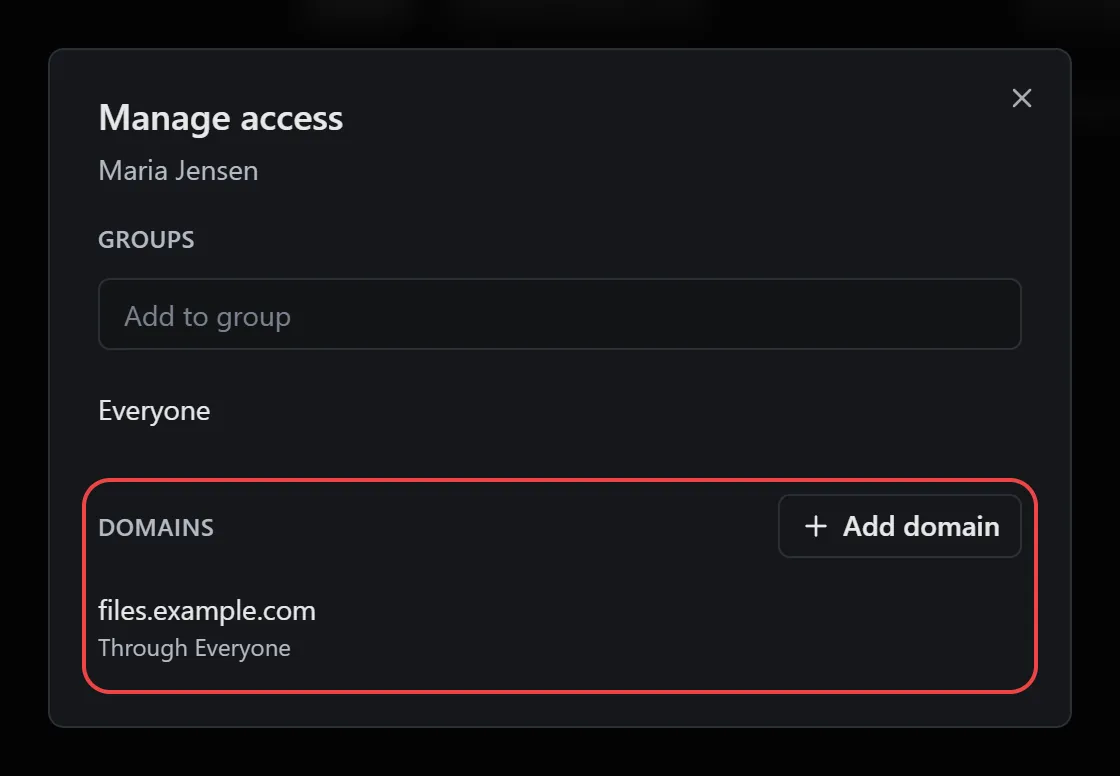
Admins can be acted for only once they’re added directly to one of those domains: open Settings → Domains, choose Manage access on the domain and add them. Admins’ access through a group doesn’t count. The audit log names the service account and the user it acted for.
Send the header
Section titled “Send the header”Add Dew-Act-As with the user’s email to the request:
The request is Maria’s, on the address you call unless you send domain. Every later call about it (listing, downloading, closing) sends the same header, because the token reaches it through Maria.
The header works on file and file request calls. Admin calls, such as managing users or reading the activity feed, refuse it.
Check it worked
Section titled “Check it worked”The request is on Maria’s File requests page in Dew. To check from your system, list the requests with the same header:
If something doesn’t work
Section titled “If something doesn’t work”| What you see | What to do |
|---|---|
403 with “This service account can’t act as …” |
Give that user one of the service account’s domains with Manage access in People → Users, or for an admin in Settings → Domains. Or check the email address. |
400 with “Only service account tokens can use Dew-Act-As.” |
Personal tokens can’t act for anyone. Use a service account token. |
404 on a file request, or 403 on a file, you created earlier |
Send the same Dew-Act-As header you created it with. |